LazyInitializationException
Author Ter-Petrosyan Hakob
If you work with Hibernate, you have probably seen the LazyInitializationException at least once. It is one of the most common errors when working with databases in Java. Fixing it seems easy, but there is a lot of bad advice online. Some suggested solutions can hide new problems that cause performance issues or wrong data in your application.
In this article, we will cover:
- When Hibernate throws a
LazyInitializationException - What not to do to fix it
- Safe ways to fix the exception
When Does Hibernate Throw a LazyInitializationException?
Hibernate uses a technique called lazy loading. This means it does not load all related data immediately. It waits until you actually need it.
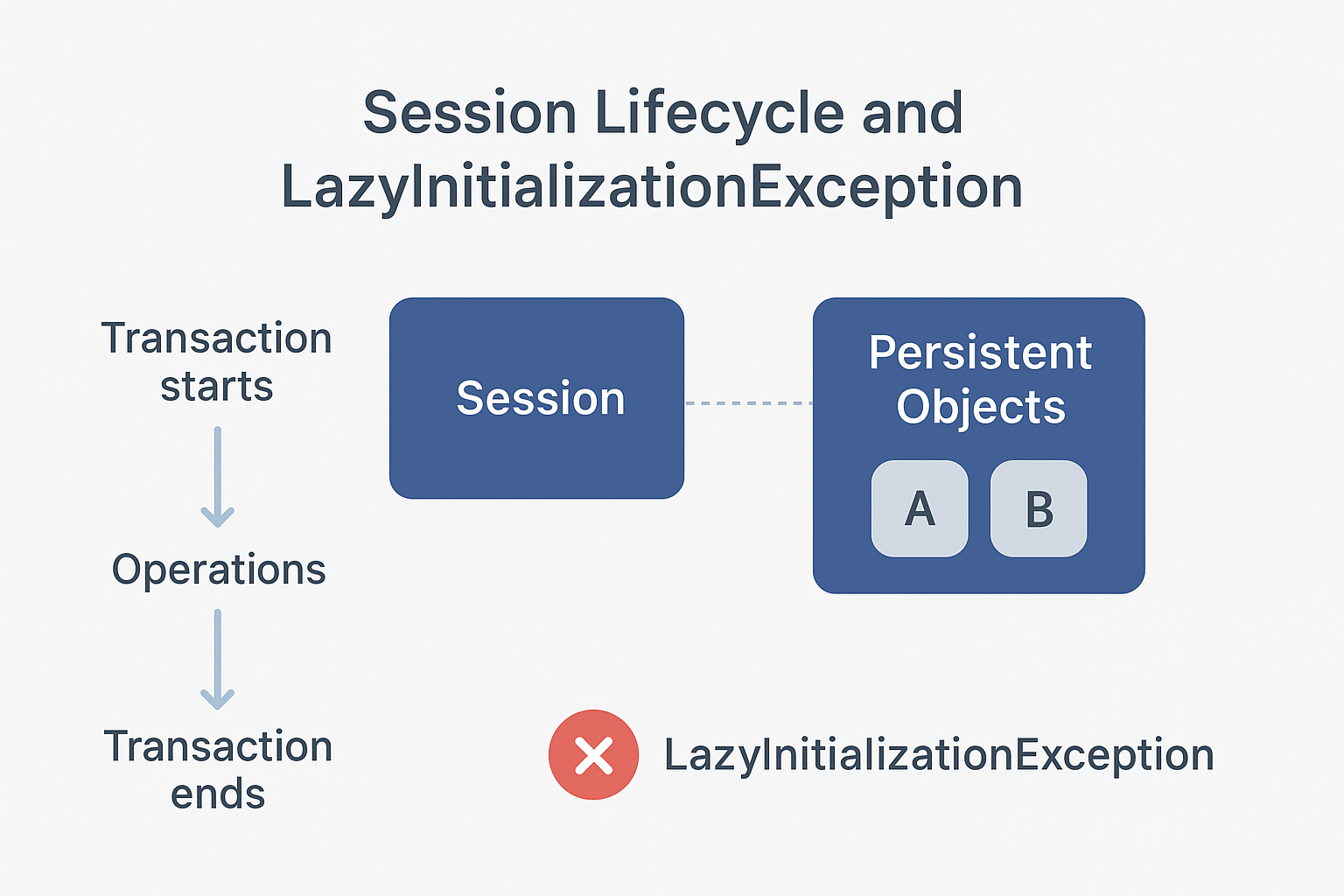
A LazyInitializationException happens when Hibernate tries to load related data (like a list of books for an author) outside an active session. This often occurs in the web layer of your application after the transaction has already finished.
For example:
EntityManager em = emf.createEntityManager();
em.getTransaction().begin();

TypedQuery<Writer> query = em.createQuery("SELECT w FROM Writer w", Writer.class);
List<Writer> writers = query.getResultList();

em.getTransaction().commit();
em.close();

for (Writer w : writers) {
    List<Article> articles = w.getArticles();
    System.out.println("Trying to count articles...");
    articles.size(); // This will throw LazyInitializationException
}
Here, Writer has a lazy-loaded association with Article. After we close the session, Hibernate cannot fetch the articles, so it throws an exception.
What NOT to Do to Fix LazyInitializationException
- Don’t Use
FetchType.EAGEREverywhere
Some developers suggest changing the lazy association toEAGER. This tells Hibernate to always load the related data immediately. It seems to solve the problem, but:- It can slow down your app because Hibernate fetches data you may not need.
- It may trigger the
n+1select problem, which happens when Hibernate runs one query for the main entity and then one query for each related entity.
Better: Keep FetchType.LAZY and fetch associations only when needed.
- Avoid Open Session in View
TheOpen Session in Viewpattern keeps the session open until the web layer renders data. This allows lazy loading in the view. Sounds good? Not really:- Each query in the view creates a new database transaction, adding unnecessary load.
- It can cause inconsistent results, because the service layer may have already committed a transaction with different data.
In Spring Boot, Open Session in View is enabled by default. You can disable it:spring.jpa.open-in-view=false
- Don’t Enable
hibernate.enable_lazy_load_no_trans
Settinghibernate.enable_lazy_load_no_trans=truemight seem like a quick fix. It allows Hibernate to open a temporary session automatically. But it:- Uses more database connections
- Increases transaction load
- Can make your application slower under heavy use
How to Fix LazyInitializationException
The safest way is to fetch all needed associations before closing the session. There are several approaches:
LEFT JOIN FETCH
You can tell Hibernate to fetch related data with your main query using LEFT JOIN FETCH.
Example:
EntityManager em = emf.createEntityManager();
em.getTransaction().begin();

TypedQuery<Writer> query = em.createQuery("SELECT w FROM Writer w LEFT JOIN FETCH w.articles", Writer.class);
List<Writer> writers = query.getResultList();

em.getTransaction().commit();
em.close();

for (Writer w : writers) {
    System.out.println(w.getName() + " wrote articles: " +
        w.getArticles().stream()
         .map(a -> a.getTitle())
         .collect(Collectors.joining(", "))
    );
}
Here, LEFT JOIN FETCH ensures Hibernate loads articles together with writers in one query, avoiding LazyInitializationException.
Using @NamedEntityGraph
A NamedEntityGraph lets you define which associations Hibernate should fetch independently of the query. This can be reused across different queries.
Example:
@NamedEntityGraph(
    name = "graph.writerArticles",
    attributeNodes = @NamedAttributeNode("articles")
)
@Entity
public class Writer { ... }
Then, use it in a query:
EntityGraph<?> graph = em.createEntityGraph("graph.writerArticles");
TypedQuery<Writer> query = em.createQuery("SELECT w FROM Writer w", Writer.class)
                             .setHint("javax.persistence.fetchgraph", graph);
List<Writer> writers = query.getResultList();
Hibernate fetches the articles just like with LEFT JOIN FETCH.
Using the EntityGraph API
You can also define an EntityGraph dynamically in Java without annotations. This is useful when you want to decide which associations to fetch at runtime.
EntityGraph<Writer> graph = em.createEntityGraph(Writer.class);
graph.addAttributeNodes("articles");

TypedQuery<Writer> query = em.createQuery("SELECT w FROM Writer w", Writer.class)
                             .setHint("javax.persistence.fetchgraph", graph);
List<Writer> writers = query.getResultList();
The query generated is almost identical to LEFT JOIN FETCH or @NamedEntityGraph.
Using @EntityGraph in Spring Boot
If you are using Spring Boot with Spring Data JPA, you don’t always need to manually create an EntityGraph with EntityManager. Spring Data JPA supports @EntityGraph annotations on repository methods, which makes fetching lazy associations much easier.
public interface WriterRepository extends JpaRepository<Writer, Long> {

    @EntityGraph(attributePaths = {"articles"})
    @Query("SELECT w FROM Writer w")
    List<Writer> findAllWithArticles();
}
@EntityGraph(attributePaths = {"articles"})tells Spring Data JPA to fetch the articles list together with each Writer.- This avoids
LazyInitializationException, because the articles association is loaded while the session is still active. - It’s a clean and safe way to initialize associations without manually using
EntityManagerandsetHint().
Usage in a service layer:
@Autowired
private WriterRepository writerRepository;

public void printWriters() {
    List<Writer> writers = writerRepository.findAllWithArticles();
    writers.forEach(w -> {
        System.out.println(w.getName() + " wrote: " +
            w.getArticles().stream()
             .map(Article::getTitle)
             .collect(Collectors.joining(", "))
        );
    });
}
Use @EntityGraph for read-only queries or whenever you know which associations should always be fetched.
For dynamic cases, you can still use EntityManager + setHint().
Using DTO Projections
DTOs (Data Transfer Objects) are better for read-only operations. You can select only the fields you need, which improves performance.
Example:
TypedQuery<WriterDto> query = em.createQuery(
    "SELECT new com.example.WriterDto(w.name, a.title) FROM Writer w JOIN w.articles a", WriterDto.class);
List<WriterDto> results = query.getResultList();

for (WriterDto dto : results) {
    System.out.println(dto.getName() + " wrote " + dto.getArticleTitle());
}
Hibernate only fetches the columns you need, which is faster and avoids lazy-loading problems.
Conclusion
LazyInitializationException is very common in Hibernate, but most quick fixes are harmful. To solve it safely:
- Fetch associations in the service layer using
LEFT JOIN FETCHor anEntityGraph. - Use DTO projections for read-only queries.
Both approaches ensure that all data is loaded while the session is active, keeping your application fast, reliable, and consistent.